
Digitize end-to-end physical processes with 1.5 mm accuracy

ZeroKey workflows in action
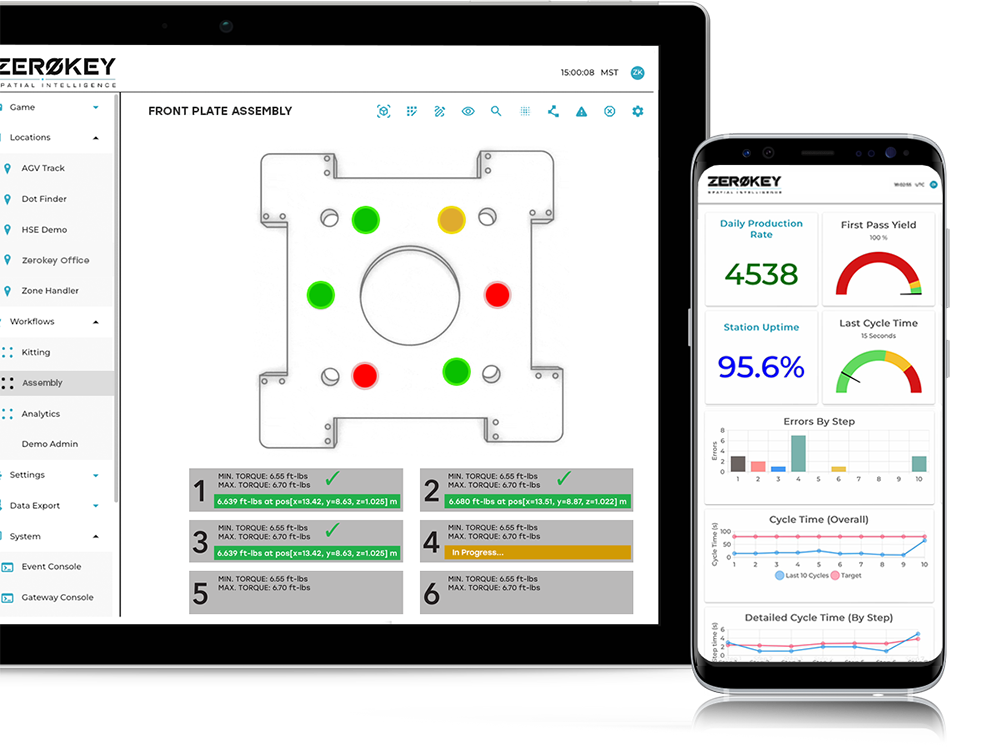
ZeroKey workflows in action
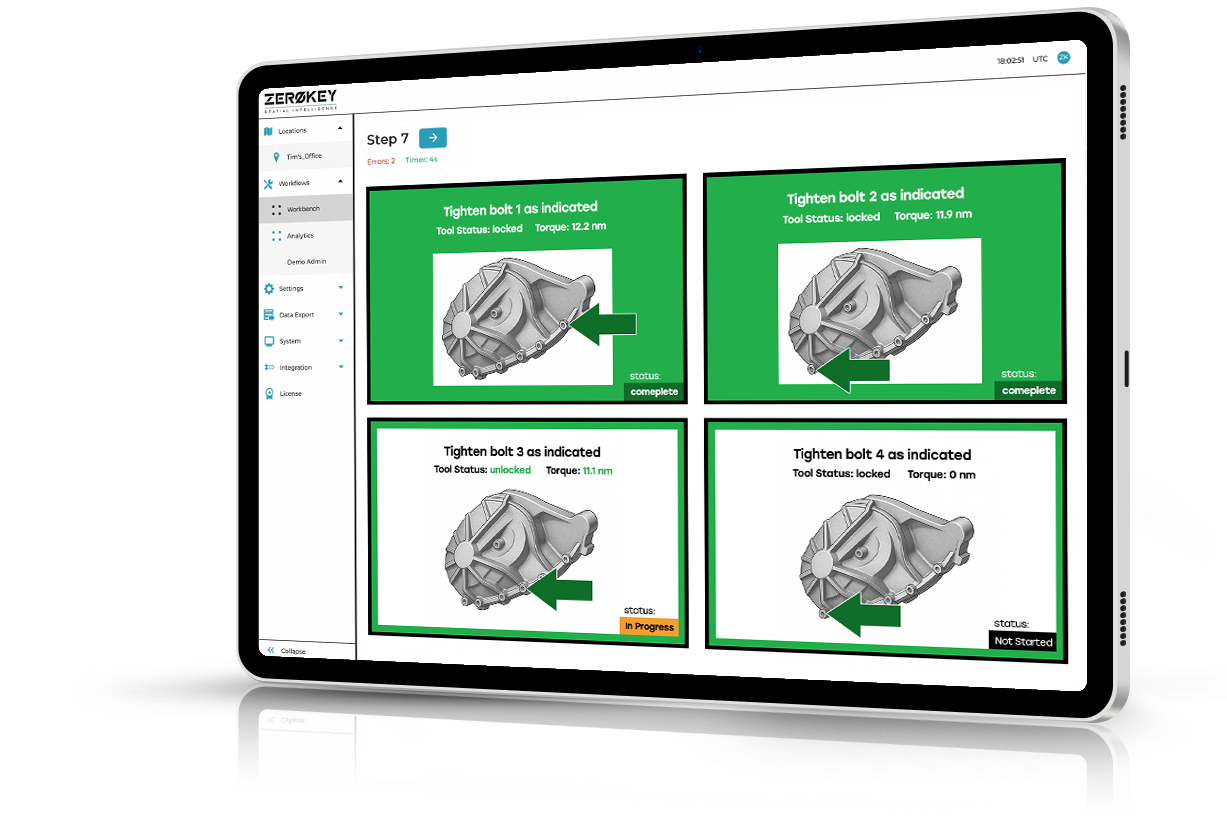
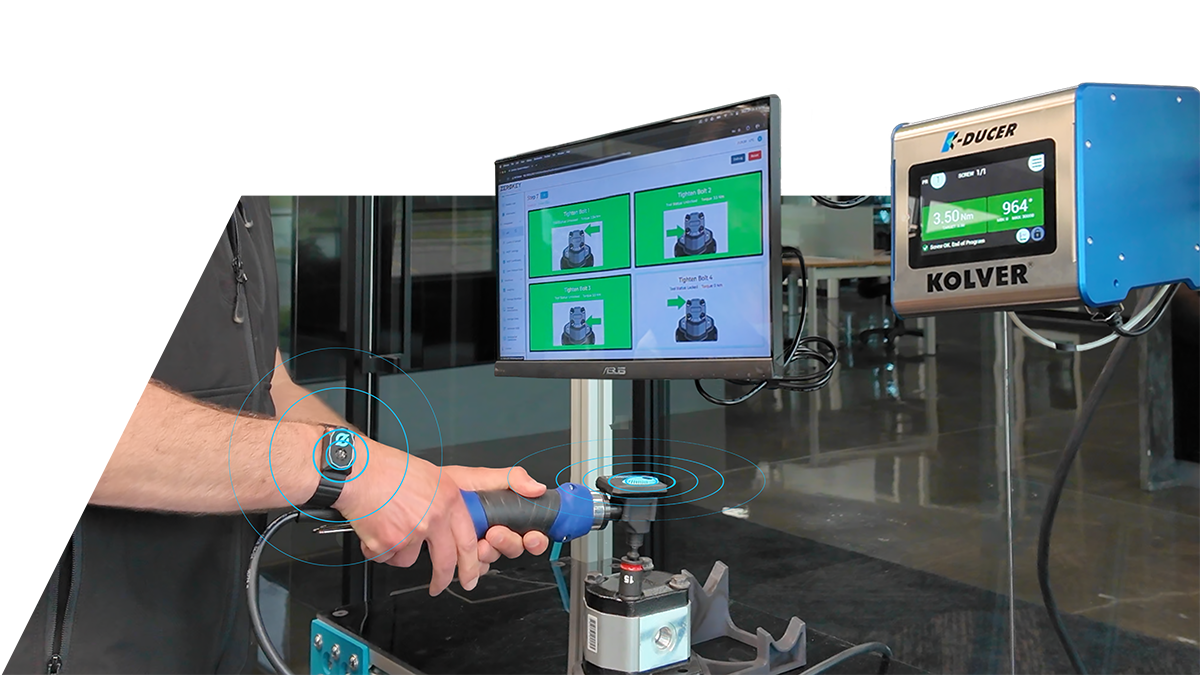
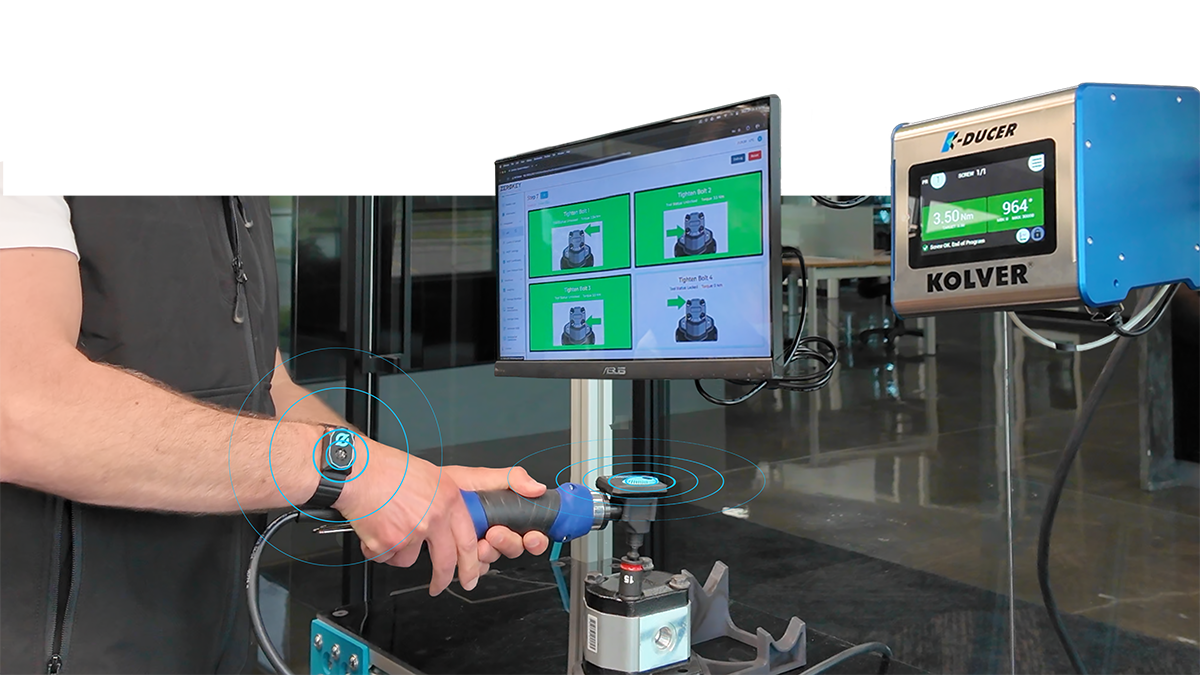
Manual, paper, and tribal workflows bleed quality and time. ZeroKey’s Quantum RTLS® converts any bench, cell, or line into a self-validating digital workstation: millimeter-accurate 3D tracking of hands, tools, and parts automatically advances work instructions only when the right action occurs, capturing true step and cycle times for kaizen and logging every variance for layered process audit.
From pilot to plant-wide in hours, not months
From pilot to plant-wide in hours, not months
Watch how we go from taking a Quantum RTLS Starter Kit right out of the box to running a dynamic workflow in just a few simple steps.
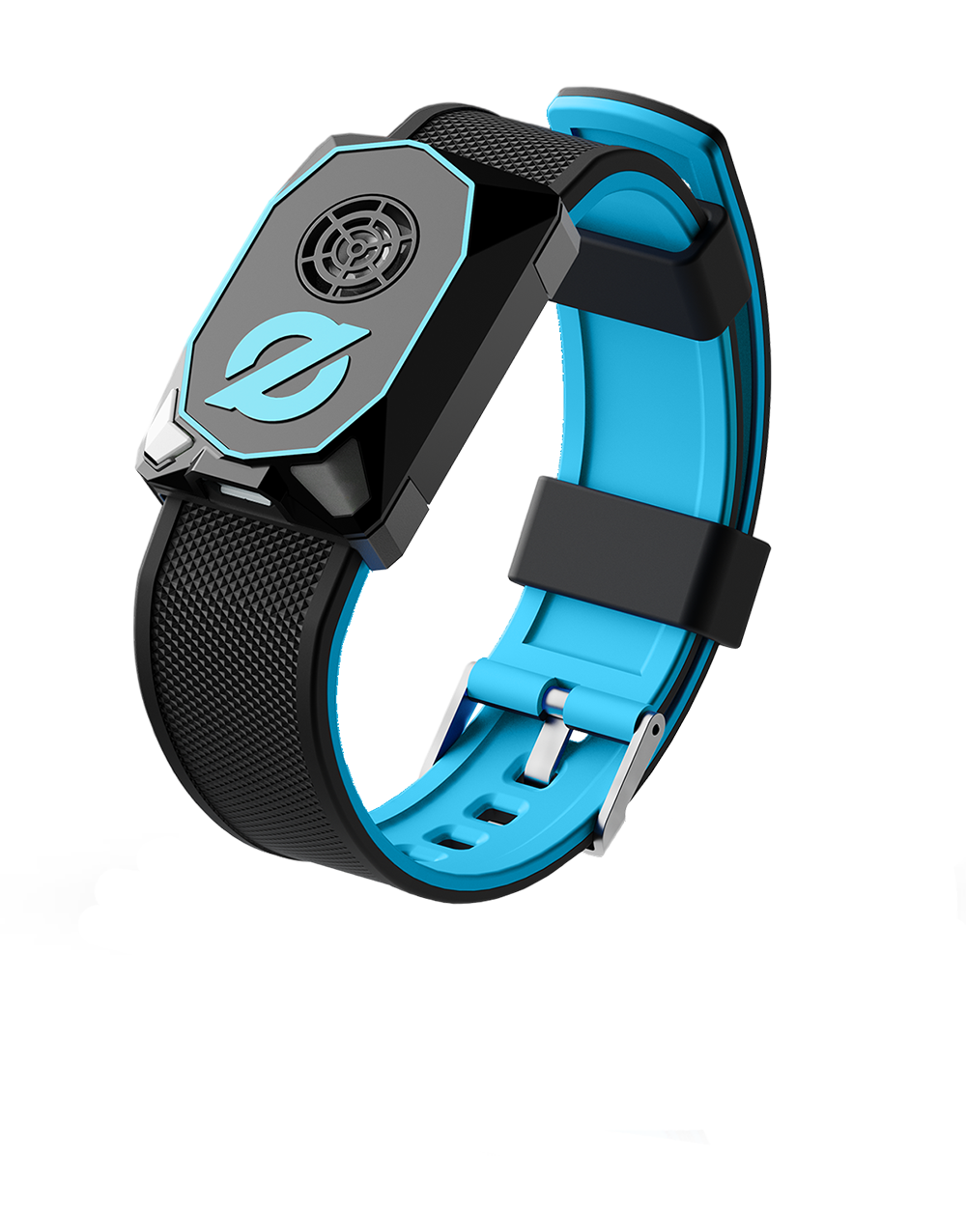
ZeroKey’s lightweight wearable wristband captures every hand movement with 1.5 mm precision, turning manual tasks into validated digital steps.
How Zerokey digitizes manual work (where nothing else can)
ZeroKey combines millimeter-accurate 3D positioning with an advanced spatial analytics and workflow engine to transform real-world operations into a self-validating, data-rich physical value stream.
How Zerokey digitizes manual work (where nothing else can)
Millimeter-accurate spatial layer
Millimeter-accurate spatial layer
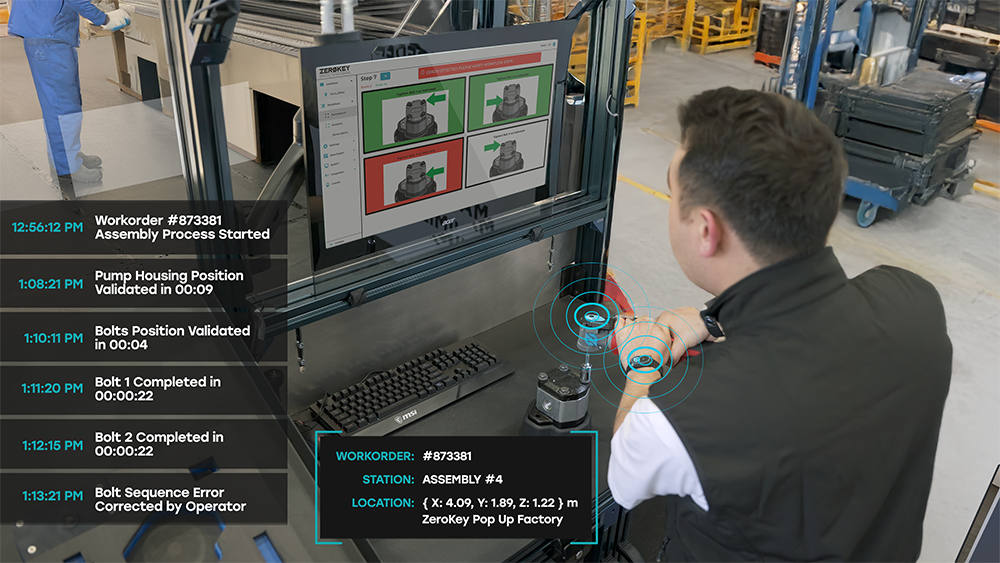
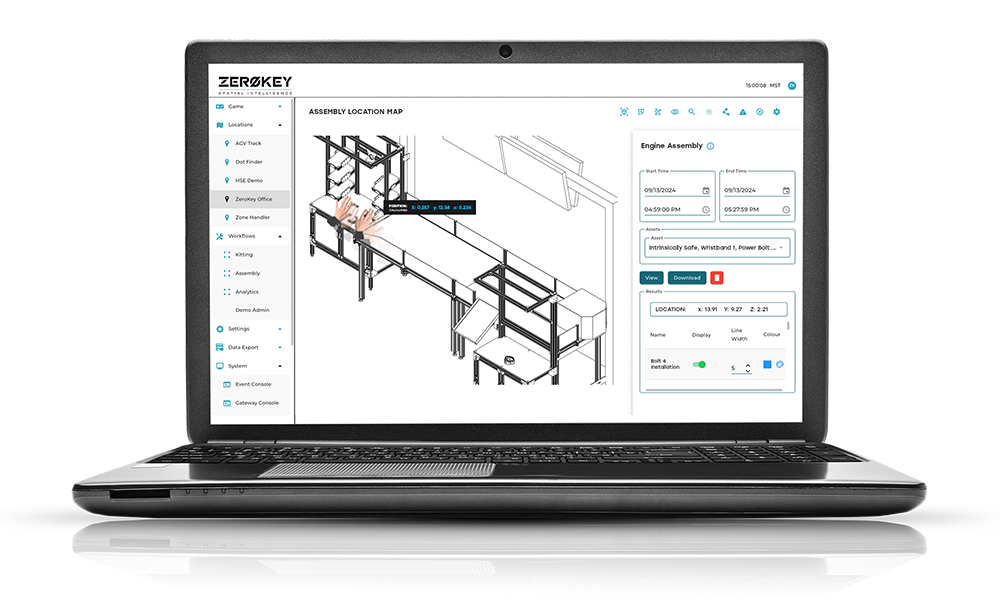
Quantum RTLS tracks exactly where hands, tools, trays, and parts are with 1.5 mm 3D + 6DoF accuracy in real-time. In cluttered industrial spaces, ZeroKey provides robust ultrasonic ranging that doesn’t collapse when cameras are occluded or metal causes multipath noise that erodes legacy RTLS accuracy. Dynamic geofence zones define pick bins, torque points, and work zones directly in 3D space to validate when (and where) each assembly action occurs. Progression is blocked when the wrong motion occurs to fully safeguard against human error.
Workflow engine built for physical processes
- Build digital work instructions with drag-and-drop images, logic, tool gating, and zone validation
- Ensure steps only advance when the right motion happens in the right place
- Surface operator errors instantly with real-time validation
- Author once, then rapidly scale workflows across any number of station
Workflow engine built for physical processes
Bring your own stack

Bring your own stack
Native industrial integrations
- Smart Lockout: Lock/unlock torque tools until positioned on the correct fastener and capture torque data into the same record as spatial validation
- Andons & Pick-to-Light: Trigger lights, buzzers, stack towers, or bin LEDs based on validated step completion and real-time error detection
- PLS / MES / ERP Connectors: Push cycle time, completion status, error alerts, and serialized workorder genealogy via open API
- Analytics Export: Stream clean spatial event data in real-time to edge or cloud data lakes for CI teams
Data that feeds continuous improvement
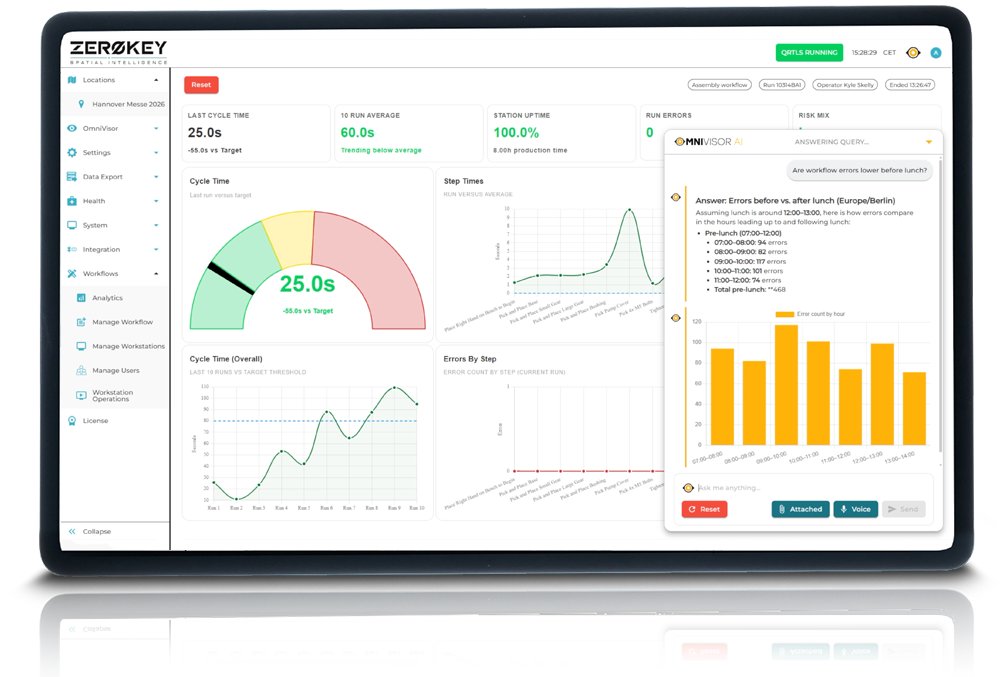
Every validated motion becomes structured data to enable takt balancing, standardized work confirmation, and long-run kaizen loops. Automatically collect:
- True value-add vs. non-value step times
- First-pass yield by station/operator/shift
- Missed, skipped, and reworked steps
- Torque compliance tied to physical locations
- Time-to-train comparisons before/after digitization
Data that feeds continuous improvement
Reduce data complexity
fetch("https://yourdomain.edge.zerokey.com/v3/modules/historian/positionUpdates", {
  method: "POST",
  headers: {
    "Content-Type": "application/json",
    "Authorization": "Bearer <YOUR_ACCESS_TOKEN>"
  },
  body: JSON.stringify([{
    "StartTime": "2025-07-01T08:00:00Z",
    "EndTime": "2025-07-01T18:00:00Z",
    "DeviceID": "00:AA:BB:CC:DD:EE"
  }])
})
.then(res => res.json())
.then(data => console.log("TaskID:", data.TaskID));
fetch("https://yourdomain.edge.zerokey.com/v3/modules/historian/zoneCollisions", {
method: "POST",
headers: {
"Content-Type": "application/json",
"Authorization": "Bearer <YOUR_ACCESS_TOKEN>"
},
body: JSON.stringify({
"ZoneIDs": ["7237c212-aec8-4e86-8087-e4726eaaf0a1"],
"Devices": [{}],
"IncludePositionalData": false
})
})
.then(res => res.json())
.then(data => console.log("TaskID:", data.TaskID));curl -X GET \
'https://yourdomain.edge.zerokey.com/v3/modules/historian/file/{TaskID}' \
-H 'Authorization: Bearer <YOUR_ACCESS_TOKEN>'Reduce data complexity
ZeroKey logs and retains spatial events automatically so you can focus on analysis, not data wrangling. Our open API makes it simple to request position updates or zone events by time, zone, or device. Streamline integration with your analytics pipelines or data lake with clean, structured data—no extra infrastructure needed.
Workflow intelligence assessment
Answer 5 quick questions to assess your current process visibility and identify where ZeroKey could improve it.
Technology comparison
| Technology | What it does well | Where it breaks | What changes with ZeroKey |
|---|---|---|---|
| Vision & AI cameras | Good for presence detection, part ID, some error spotting. | Line-of-sight, occlusion, lighting, glare, PPE, tight spaces; re-teach cost when layouts change. | ZeroKey doesn’t need to see — it always knows 3D position. Works inside bins, under benches, and behind hands. |
| Conventional UWB RTLS | Decent coarse asset tracking (0.3–0.5 m). | Not precise enough for pick bins, bolt holes, or hand placement; metallic environments degrade accuracy. | Quantum RTLS delivers 1.5 mm accuracy; validates which bolt, which bin, and which station in real-time. |
| Pick-to-light / Light-guided only | Guides operator visually. | Doesn’t confirm action occurred; no time data; no spatial validation; brittle wiring infrastructure. | ZeroKey confirms a hand entered the correct 3D zone and logs time + compliance; can trigger lights too. |
| Smart torque tools alone | Confirms torque achieved. | Cannot confirm tool was on the correct bolt; misses skipped fasteners in multi-pattern assemblies. | ZeroKey binds torque to spatial bolt ID + sequence order; generates digital torque certificate. |
| MES forms / Tablets | Good for recordkeeping. | Relies on operator clicks = inaccurate truth data; no spatial link to physical work. | ZeroKey auto-logs when the real work occurs; feeds MES with validated timestamps. |
| Manual paper / Checklists | Cheap, flexible. | Inaccurate, ignored, not time-stamped, no analytics; drives hidden rework cost. | Auto-validated digital record, analytics, escalation triggers. |
FAQs
FAQs
ZeroKey Workflows is the workflow module that turns Quantum RTLS position data into validated digital work instructions.
Instead of asking operators to manually confirm every step, Workflows can use real-world actions (such as a hand entering a pick zone, a tool reaching a fastener, or a part moving into the right area) to automatically validate progress through a process.
Workflows can be built for manual assembly, pick and place, bolt sequencing, inspection, kit building, material handling, training, workstation guidance, and other physical processes.
A workflow can include images, instructions, step logic, zone validation, tool events, operator prompts, pass/fail rules, rework paths, and external system triggers. The structure is flexible enough for simple guided work or more advanced self-validating stations.
Not necessarily. The point of Workflows is to reduce manual confirmation wherever physical validation is possible.
For example, a step can advance when the operator reaches into the correct bin, brings the correct tool to the correct location, completes a torque event, enters a work zone, or moves the part to the next stage. Manual inputs can still be used if required, but they no longer have to be the primary source of truth.
Workflows uses Quantum RTLS position data, defined zones, tracked devices, and step logic.
For example, a pick step may require the operator’s hand or tool to enter the correct 3D zone. A fastening step may require the torque tool to be positioned at the correct fastener and reach the required torque before the step can pass. A material move may require a part or cart to enter the correct destination area.
The workflow advances only when the configured conditions are met.
Work instructions can be built around the way the process actually runs. They can include visual guidance, step sequencing, conditional logic, error states, and integrations with tools or external systems.
That means Workflows can support a fixed workstation, a flexible cell, a training station, a moving assembly process, or a plant-wide standard that is reused across multiple stations.
Yes. Workflows and workstation structures are designed to scale.
Teams can author a process once, then reuse, clone, or adapt it across similar stations, lines, shifts, or product variants. Zones, tools, station IDs, and step conditions can be configured so the same workflow logic can support multiple physical work areas without rebuilding everything from scratch.
Yes. Workflows can operate inside ZeroKey software or connect to existing systems through APIs and integration interfaces.
Common integrations include torque tools, pick-to-light, andons, PLCs, MES, ERP, quality systems, analytics platforms, and digital work instruction tools. Workflows can send step completions, errors, timestamps, zone events, torque results, and process data to the systems that already run the operation.
Workflow data can include step start and completion times, cycle times, missed steps, retries, pass/fail outcomes, zone validation events, tool interactions, torque records, workstation IDs, product or work order context, and exception history.
This data can be used for QA/QC, layered process audits, traceability, kaizen, training analysis, labor planning, and continuous improvement.
Yes. Workflow and raw spatial data can be accessed through ZeroKey’s open API.
Teams can retrieve or stream position updates, zone events, workflow completions, step data, exception records, device activity, and other structured process events. This makes it easier to connect validated shop-floor activity to MES, ERP, BI, data lakes, or custom applications.
Most teams start with one workstation, one process, and one clear validation goal such as reducing missed picks, confirming a torque sequence, digitizing paper work instructions, or capturing true step times.
A Quantum RTLS Starter Kit can be used to set up the first station, define zones, build the first workflow, and validate that the process can be digitized accurately. Once proven, the same workflow structure and hardware can scale to additional stations, products, and lines.

Indoor Positioning
System
Want More Info?
Download Our White Paper
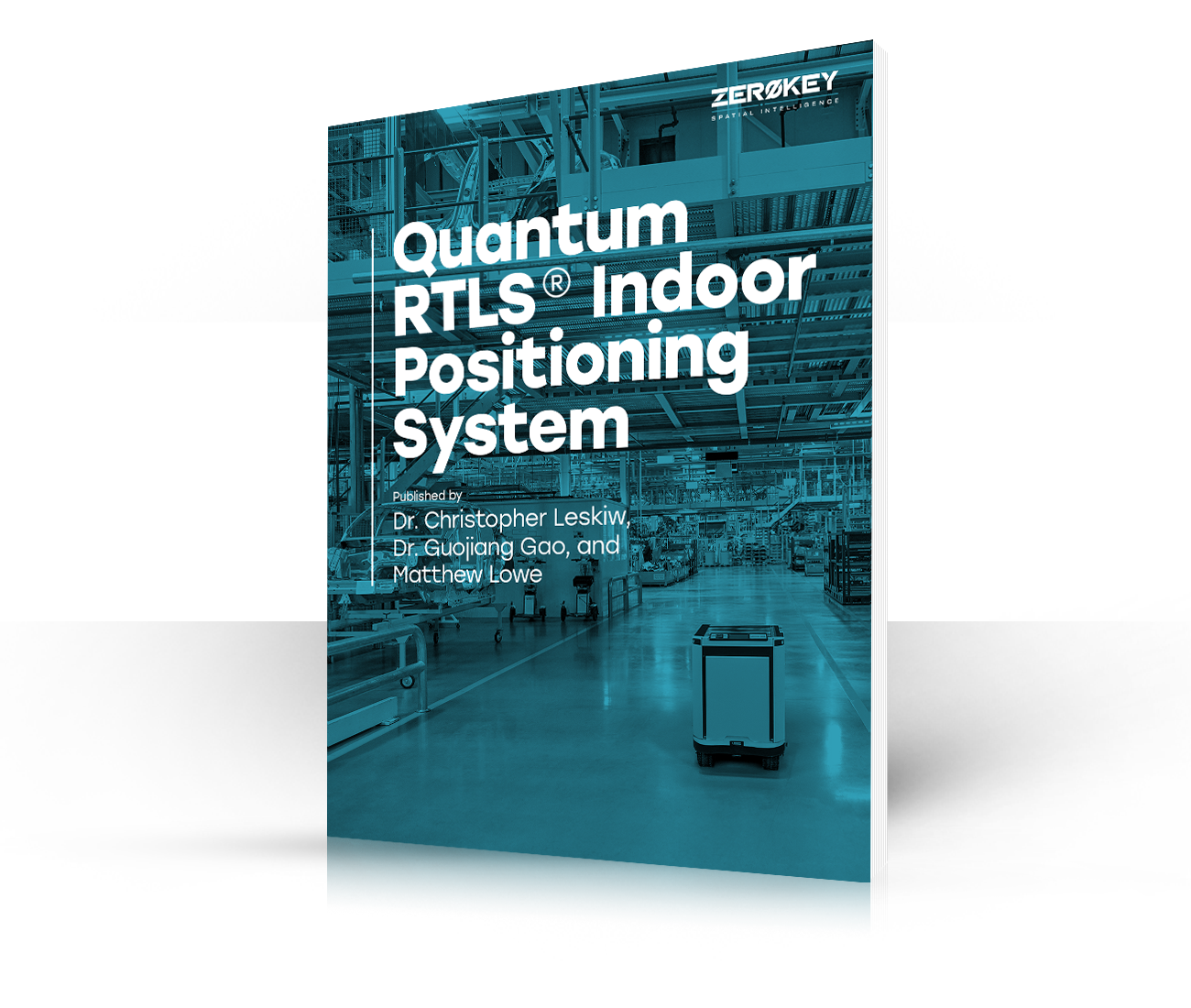
ZeroKey’s Quantum RTLS technology is backed by more than thirty patents and extensive research and development! Want to learn why we’re the most accurate RTLS technology in the market? Read all about it in our white paper.
Want More Info?
Download Our White Paper
ZeroKey’s Quantum RTLS technology is backed by more than thirty patents and extensive research and development! Want to learn why we’re the most accurate RTLS technology in the market? Read all about it in our white paper.
CALGARY
HEAD OFFICE
3120 – 12 St. NE
Calgary, Alberta T2E 8T3
RESOURCES
SITE MAP
Products
Starter Kit
Start Kit Resources
Quantum RTLS
Spatial Intelligence Platform
Solutions
AGV Guidance & Navigation
Bolt Sequencing
Collision Avoidance
Humanoid Robots
Material Tracking
Operational Visibility
Smart Manufacturing
Time & Motion Study
Warehouse Intelligence
Worker Safety Solutions
Workflow Tracking

CALGARY
HEAD OFFICE
3120 – 12 St. NE
Calgary, Alberta T2E 8T3